Category: Product Management

  • What is Definition of Done and why it is important to have one?

    Imagine you are doing major renovation on your house, like you are adding an additional level and you hired a team of top-notch contractors to do the renovation. Two months into the process, a representative of contractors informs you that they have completed all the work and they are done now. How do you determine if the work is completed? You will go and check out that second floor, you make sure they built it based on the agreed upon layout, there is running water and working electricity etc. Basically your verify their claims by going through a checklist to make sure completed work is to your satisfaction before you pay the contractors.

    Definition of Done does the same thing. It is a check list of all the items to be checked off before your team declares the story is completed. Unlike “Acceptance Criteria” that is specific per story and describes what the ask is, Definition of Done (or DoD for short) establishes what must be true of each product backlog item for that item to be done.

    DoD is partly done by your development team because it is their job to write high-quality, high-value software. So it is on developers and testers to define what quality is but you as Product Owner can add other criteria too. In the end both you and your team should agree on the Definition of Done before you start the first sprint. Let me explain this a bit more by showing you what my team Definition of Done is:

    Each item in our backlog will be “Done” when….

    • Acceptance criteria & functional testing is met.
    • Code is peer reviewed by another developer and meets development standard.
    • Unit tests written and passed.
    • There are no critical or high bugs open.
    • English & French content written and validated.
    • Feature is tested across supported platforms & browsers as per the Official Canada Post browser support.
    • Feature is tested for Accessibility; Web Content Accessibility Guideline (WCAG2.0) targets level A, AA.
    • Feature with new UI elements is tagged for analytic.
    • Remaining hours for task set to zero and task closed in Jira.

    As you can see in example above the first four items define quality baseline of the code. However other criteria such as accessibility, dual language or administrative tasks in Jira speak to other aspects of being “done”. Definition of Done is a living document which means that you have to keep revisiting it to refine the “done” criteria to make sure they are still up-to-date and relevant to your stories and products. For my team during every sprint planning we quickly visit the DoD to make sure if it needs further tweaking.

    After using DoD from stories for a while now I have extended them to software releases as well. I find having a release DoD where I have a checklist of all the things to be done prior to release extremely helpful.  This helps my team not to miss any big ticket item. Here is DoD prior to every release:

    And finally one last check list that is very powerful is to have Definition of Ready for each story. Definition of Ready verifies all pre-requisit work is completed before a story is ready to be pulled into a sprint. For example you have a story that lets user to to a date range and export some data based that time frame. This story needs a UX pattern, visual design for date selector and copy associated with the exporting function before it can be passed on to developers. You can create a Definition of Ready checklist so that a new story will NOT be pulled into the next sprint unless all the UX, content and VD sub-tasks are defined and completed. I find this is as a great approach to take the risk dependent external work out of your sprint.

    Hope you enjoy these checklists as much as I do 🙂

  • My Recommended Books with Strong Ties to Product Management

    Past few months I have read the following books all related to product management. They were all excellent. I learned new techniques to write user stories, tackle prioritizing them and to strengthen my concentration on the task at hand. They also provided me new perspective on what skills I need to master to become a better leader.

    Book Summaries

    user-story-mapping

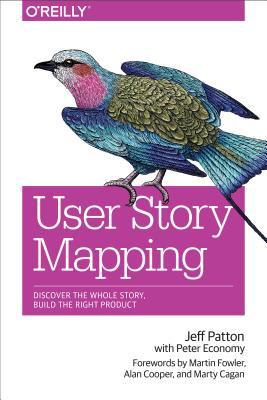
    User Story Mapping

    I came across the book shortly after I became a Product Owner to my newly-formed agile team and like many other newbie product owners I was struggling with how to chunk out the product I envisioned to build into smaller pieces by writing user stories. I also had difficulty on how to write these stories in a way that captures all the nuances and requirements. Thankfully User Story Mapping provided an answer on above issues for me. Here are the two main things I learned from it:

    As a Product Owner I can never capture all the requirements of a product and I can’t specify all the functional and technical details in just one document. Even if I could, this document would be so massive that most people wouldn’t read it. Even if they would they will have their own interpretation of what it means!!

    A better approach is to outline my ask as a story and use that as a starting point to a productive conversation. By the end of this conversation, the ask is more clearly defined and everyone have a shared understanding of what it is. My goal is then to document our understanding using words and pictures.

    The real goal of using stories is shared understanding. Stories get their name from how they should be used, not what should be written.

    Another valuable lesson is that focusing solely on backlog is dangerous. Without having a big picture of what the product is trying to accomplish and what types of activities people use this product for, building one small thing after another from a flat backlog results in a product with mismatched features. The solution is to build a Story Map!

    The biggest benefit of creating a user story map prior to building from a backlog is that it forces you to tell the story of all the interactions the user has with the product to accomplish something. This will give you the big picture of what your product does and in the process it identifies gaps that no one has thought about before.

    Creating a user story map is easy. At the top of the map are big stories (also known as user activities). These stories are too big to do in one sprint or an iteration but once implemented they provide major functionality to the user. The big stories are placed next to each other from left to right. If nothing else, reading these stories provides a view of the whole system.

    However to get these big stories done we need to break them down further into smaller stories. These smaller stories or tasks are placed in the second row and this breaking down continues to a level that provides enough clarity into what the system does. For more detailed explanation check out this blog post from author itself.

    hard-thing-about-hard-things

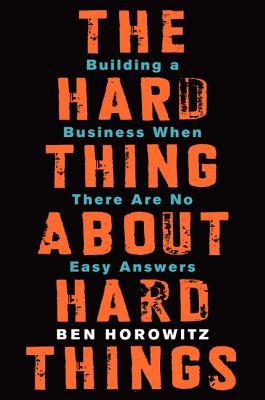
    The Hard Thing about Hard Things:

    I came across ‘The Hard Thing about Hard Things’ through reading Ben Horowitz’s blog and I am glad I read it. The book has two main parts: The first part is an easy to read, humorous but enlightening account of how Ben Horowitz managed Loud Cloud and Opsware, two companies he co-founded and run as a CEO. The second part is lessons  learned along the way of managing though hard situations.

    Second part of the book has too many good advice to recount them all and they go beyond my focus on Product Management. These are my most important takeaways:

    What resonated the most with me was the importance Ben placed on providing the right training for the job and making it clear what an employee is accountable for. He argues that if you don’t train your people, you establish no basis for performance management. As a result, performance management in your company will be sloppy and inconsistent.

    I personally have always struggled with this one. Unlike a developer or a designer who produces tangible results, product manager’s work spread across many areas and is not as tangible. If my company provides training for the specific skills and what it expects of me, it will save me a ton of time and the confusion and frustration of trying to figure this out by trial and error.

    Another issue this book confirmed for me is that everywhere there is bias to dismiss or rationalize leading indicators of bad news and only listen to good ones. Doesn’t this paragraph rings true in your head?

    If a CEO hears that engagement for her application increased an incremental 25% beyond the normal growth rate one month, she will be off to the races hiring more engineers to keep up with the impending tidal wave of demand. On the other hand, if engagement decreases 25%, she will be equally intense and urgent in explaining it away: “The site was slow that month, there were 4 holidays, we made a UI change that caused all the problems. For gosh sakes, let’s not panic!

    This explains why when Product Managers and executives see the growth is stalling and partners are leaving they avoid the obvious: The product is not the best in the market and is lagging behind competition. There is not much to do but to take the hard step of building a better product.

    Finally the most important and the most unexpected truth that came out of this book is on how to hire good executive. It talked about how to hire for key run a specific job (like VP of sales) for sometime yourself to learn what skills for that job you’re looking for. Although this one is not directly related to Product Management per se, I found it incredibly valuable in not only for hiring but also building framework for career development. You can read it in its own entirety in this brilliant post.

    deep-work

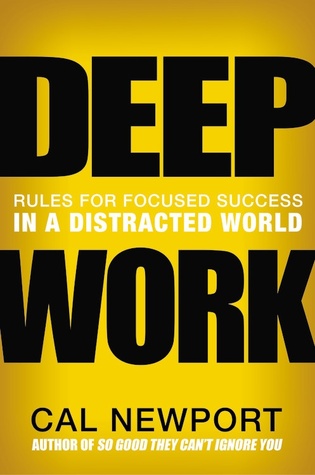
    Deep Work:

    This book is not directly related to Product Manager but it’s a book that if you are committed to follow through its advice it will change your life. The first part of the book starts with what Deep work is and why it is important to work on truly hard things with intense focus?

    Deep work is the ability to focus without distraction on a demanding task. It’s a skill that allows you to quickly master complicated information and produce better results in less time and it is a extremely valuable skill to have in the over-distracted world we live it.

    The author,  Cal Newport, goes on to explain in great detail on why deep work is valuable and meaningful but it is still rare. And honestly you do not need to read page after page to know why: Just take a good look at your work environment and daily habits and keep a tab on hours you actually focus on a hard task and I bet you’d be surprised on how little and fragmented your deep work is. I am first to admit that I suffer from a distraction and constant context switching: With so many interesting articles to read my browser has tens of tabs open that I read only half through. As part of open office trend and agile work style I work in a large room shared with 9 other colleagues and an ongoing open video conference so anyone can ask me anything anytime. And my day most of the time slices to a million of 30 min meetings.

    So how to cultivate the habit of working deeply in out day-to-day life? Here are my take away from the strategies suggested to in the four main rules suggested in the book to achieve deep work:

    Work Deeply

    Unsurprisingly this is rule number 1 on how to allocate enough time in your life to an uninterrupted work. There are multiple philosophies to schedule deep work in your day. For me building a daily routine around deep work and practicing it everyday is the way to go.

    Embrace Boredom


    Focus is a skill that must be developed before you can do it with any effectiveness and in order to strengthen your ability to focus, you must avoid the temptation to entertain yourself the minute you are bored by reaching out for the phone. One  suggested method to practice this skill is to cut off internet for some time interval and focus on the task at hand. Don’t check emails, surf the web or any other internet related activity during this time.

    I have been doing this for the past couple of days and I can tell you firsthand it’s hard! As soon as I find something that is hard to work through or make progress, a few seconds later, I catch myself to have opened a new tab or checked my email unconsciously.

    Quit Social Media

    Out of all rules outlined the most provocative one is to quit or dramatically cut back on the most beloved and addicting social media sites like Facebook, Twitter, Snapchat and so on. A core idea of this rule is that most people select digital tools using the any benefit mindset, which claims that you should use a tool if it can provide any benefit. This rule argues that you should instead use the craftsman mindset in which you only select the tools that provide the most substantial benefits to the things you find most important.

    Drain the shallows

    Finally having a fix time where you leave work and wrap up your work day forces you to be ruthless on what are the important stuff that get done.
  • 5 Tips for Managing Products Remotely

    After reading A Year Without Pants I became interested to know more about remote work and specifically how it works with product management. What qualities are required? What are the advantages and disadvantages? so I did some research such and interviewed a couple of my colleagues who work remotely as Product Managers. I like to share what I learned along the way with you. Let’s get started:

    The practice of working remotely has been on the rise for sometime. In US alone, number of people who regularly work-at-home has grown by a whopping 103% since 2005. (For more interesting data take a look at latest Telecommuting statistics). There is no denial that work from home is a real attractive option and if you need more convincing reasons just read the book Remote. I myself dream of working from home where I don’t need to commute to work everyday (specially in winter time), I can get something done without getting interrupted multiple times and have flexibility over my schedule.

    However most of the telecommute jobs I have seen are for well defined jobs such as software engineers, designers and customer support members.  There are few remote product manager jobs out there and I have always been wondering why? Can it be that there is no need for product managers in companies where work is done 100% remotely?

    I believe the answer lies in company’s size and maturity and not on how it’s distributed. In small companies with a single product and  a small team, different team members take on additional responsibilities to divvy up the work. Usually the founder who is also the CEO takes on responsibilities such as talking to customers and defining product vision. Then designers and developers are responsible for turning that vision into workable software. In this setting, the product management role is distributed among the team and no single person is responsible for the job.

    However as soon as the company grows and the product becomes more complex the work itself becomes too much of an overhead to do for designers, developers and founders on top of what their main responsibilities. Someone needs to clarify Who we are building for and Why to free up the rest of the team to focus on How. This is when Product Manager is added to the team. (Take a look at black box of product management article for an in-depth explanation).

    So if being a remote team as oppose to a co-located one has no effect on having a product manager role, how does remote product management work? What qualities are required? What are the advantages and disadvantages? I sat down with three of my colleagues who all work as Product Managers remotely to get answers to my questions.

    For my first interview I talked with Alex whom I had the pleasure of working with for a long time at OANDA. OANDA’s main focus is currency trading and its popular online trading platform known as fxTrade enables trading volume of several billion dollars a day. Alex has been working remotely for the past 6 years and he currently manages fxTrade across all platforms (Web, Mobile Browser, Mobile App). Design and development are all centrally done in Toronto. Alex travels every 2-3 weeks from San Francisco to Toronto and stays for a week.

    Then I sat down with Barbara who works as Product Manager for Mozilla. Barbara works on Firefox browser for Android app. Her development team is geographically dispersed across the globe. Barbara is based in Toronto but she travels once a month to one of Mozilla offices in States and stays with the team for a week.

    My final interview was with Saeed who works in Product Management at Informatica. Informatica provides solutions around data for the Cloud, big data, real-time and streaming. Saeed is based in Toronto but his team is spread across India and in northern California. Except for annual planning meetings in Informatica headquarters he does not travel.

    Top 5 observations about working as a remote Product Manager:

    Here are the most interesting things I learned through my interviews:

    1. We all work remotely to some degree

    “Business expand across locations. With the exception of small companies, where everyone is in one location, as a Product Manager you have to work with remote people and teams… and of course, customers and partners are NEVER at HeadQuarter. 🙂 “

    When you come to office even when you are co-located with the development team, you need to work with other parts of business such as Sales, Marketing, and Customer Care which may be at different locations and time zones. So being able to work with others through email, phone, chat or whatever remote communication channel is a must no matter how you work.

    2. Communication and Collaboration

    “None of the team members I regularly work with are in the Toronto office, pretty much 99% of my meetings are held over Vidyo (a video chat system used at Mozilla)…We [also] heavily use IRC and Slack, as well as Bugzilla and email to communicate.”

    Email, phone, video conferencing and instant messaging (Slack being the most popular one) are used for communication with team members. However what is more important than choice of tools is to make sure crucial information isn’t lost between colleagues. Barbara and Alex find traveling at least once a month necessary to make sure that everyone in the team is in-sync.

    For collaboration, screen sharing software like WebEx, project management tools such as Trello and wiki softwares to quickly edit content like Confluence and Google Docs are all part of the remote toolbox. Good written communication is the single most important skill to make sure everyone has a shared understanding of what the ask is and how to provide a solution.

    3. Trust is the Key

    “I have built a close relationship with my team over time and now I trust my them to know my vision really well… I’m confident that they will be able to represent and defend this vision to others during a meeting when I’m not in the room.”

    Product Manager has to earn the respect and trust from the programmers and designers. With trust, PM can discover how to get the best possible work from the team. If there is clarity on the goal and a criteria that defines it, then we can speak the same language about what we need to do to get there. This issue becomes even more important when you work remotely as you need to build relationship over time and and you need to make sure you can effectively convey the vision to everyone on the team.

    4. Biggest Advantages

    “I can be more productive because I’m working somewhere else. I don’t get pulled into meetings where I can’t contribute mostly because I’m not in the office. As a result, until something important comes up that needs my attention I don’t get called into meetings.”

    One thing that stands out in addition to all of the advantages of remote working, is the fact that you don’t get tied up with unnecessary things to do inside the office. Instead you can use that time into do some strategic activities like talking to customers, delving deep to understand the problem and figuring out product/market fit. These tasks require long and uninterrupted attention which is something that gets harder to come by when you work in a room with 10 other team members and a constant flow of chatter and calls.

    5. Main Drawbacks

    “There are advantages to working in the same office as the product team. It’s very easy to get the group together to discuss an urgent issue. The proverbial “water cooler conversations” are only possible when you are co-located. There is a lot of information that can be gained simply through casual discussions, having lunch with someone or even “overhearing” something in the hallway. And quite honestly, having timely information IS very important managing products.”

    This quote definitely captures two themes that keep coming up. The first one is you can’t walk into an office and give a brief about what was just decided in another meeting. This disconnect can lead to informational asymmetry and misunderstanding. You have to be very disciplined in dispersing information. Sometimes you need to set up multiple meetings just to convey the same info because it’s hard to set up a meeting that works for everyone. Another important thing is to have a central knowledge repository where everything is organized and be vigorous to keep it up-to-date.

    Finally emergency situation or when a project needs a lot of coordination from multiple teams having an on-site team is so much easier than orchestrating activities between multiple time zones, and only being able to rely on chat, phone and video to work things through.

    Conclusion

    All in all I think working as a remote product manager is not fundamentally different from working with a co-located team.  There will always be a sense of FOMO (fear of missing out) when dealing with remote teams, so over-communicating is often better than assuming team members will find things out through other means. You also have to work harder to build the relationship and get used to different working styles of the team.

    Note about this post’s image: It is taken from Trello blog which has an insightful article about remote working.


  • Writing Technical Stories

    Recently I gave a talk about writing technical stories and ways I have found to slice user stories thinner at Product Camp Toronto. I thought it’d be good to share some ideas from that talk here as well.

    I work as product manager for epost which is one of the biggest online document delivery and management systems within Canada. epost allows users to view, pay and manage bills online and roughly one in ten Canadian use it to view their pay stubs, utility bills and tax statements among others. Right now I am in charge of leading a scrum team to redesign epost to improve web and mobile user experience. I am also responsible to revamp epost API service calls and to integrate them with Canada Post, banks and mobile apps.

    My team is one of the first teams working Agile within Canada Post, so we are all new to the concept of finishing user stories within a two week sprint. And after the first few sprints I realized that we were constantly behind schedule. Our flow for getting a story done looked something like the following:

    user story flow

    Creating API call and gateway call would take half sprint and front-end will work on the last leg of sprint to get it done. So when the story was ready for QA we were out of time and stories kept piling up to the next sprint!

    I also realized during our sprint planning and release planning a bunch of tasks get discovered and brought up that are not identified earlier. By the time these tasks are done, we are already late with the sprint. It was clear to me that I needed to write smaller stories but how?

    With a help of a my great Scrum Master Peter Moreira and User Story Mapping (I review the book in a future post) I came of with the following strategies.

    Write Technical Stories (when necessary)

    I decided since any given back-end service call will be consumed by multiple end-points it makes sense to slice a story further into an API-specific one and a front-end/UI one. API story is still valuable and independent (sort of) but it can be estimated and worked on by itself. This way I could prioritize the API story ahead of front-end story to provide much needed time for UI and QA to be done.

    This was great however I didn’t know how to write user stories about API, web services and other technical stories that are not necessarily user facing. More importantly I was struggling to fit the story into “As a user I want to — so that I can —” template.

    “As a front-end developer I need to supply mail list data so that it shows as a list view of mails” sure sounds weird!

    I came across this excellent article that confirmed my belief not to fit the story into a template when it doesn’t fit. So for technical stories I clearly write Who the end-points consumers of the API call will be, What is expected acceptance criteria of each of the end-points are and what it the expected output of this API is and finally Why this API call is important to develop. I talk to developers to understand what does API generate, how it can be validated and make sure there is alignment on acceptance criteria prior to grooming session. From my point the story is usually done once I can see API call and the data generated in Swagger and all the security criteria is met.

    So a user story that looked like this before:

    —As a Chief Household Officer, I want to filter mail by service provider name so that I more easily find my mail

    the API story will look like this:

    —We need an API call used by Canada Post, native app and our bank partners to filter mail by a service provider so only mails by that provider shows up

    Acceptance Criteria

    • Verify that the request get thru the service layers and receive a reply within 2 seconds
    • Verify that the request has necessary Oauth permission to be exposed externally
    • Verify that the request is generated in both XML and JSON formats
    • Verify that records are returned from oldest to newest

    —Separate Success and Error Stories

    Another trick I’ve found effective to write smaller stories is to focus one user story only on the happy-path, while writing other stories for when things went wrong, edge cases. For example for file creation user story write one story specifically about creating a file without any problem but write several more stories to cover the file name maximum character, acceptable  characters etc.

    I would love to know if you have other ways to slice a story further. Please share them with me in the comments below!

  • How agile is your team?

    Output vs Outcome

    I work at a big corporation that is transitioning to Agile. I know this may come as a shock to my readers but yes it’s true! Although many small companies and start-ups have embraced Agile and Lean ways of working for many years now, big corporations specially corporation not focused on technology are just testing the water when it comes to making this transition. It is a big change for many people who’ve worked the same way for many years.

    Given that my agile team is new and green I was thinking of ways to measure my team and be able to track the progress over each sprint. Here is what I’ve learned:

    The main goal of an agile team must be to minimize output while to maximize outcome and impact

    but what is the difference between output and outcome and how do you measure each?

    Output vs Outcome

    I’m reading the excellent User Story Mapping by Jeff Patton (a review soon to come) and here is how he describes the difference between Output and Outcome:

    “Everything between the idea and the delivery is called output. It’s what we build, but while it’s necessary the output isn’t the real point; it’s not the output that we really wanted. It’s what comes after as a result of that. It’s called outcome. We want to measure what people actually do differently to reach their goals as a consequence of what we’ve built.”

    Take a look at the image above for a moment and let it sink in. It’s crystal clear now isn’t it?

    Measuring Team’s Output

    At this post I’m only concentration on measuring Outputs like features, enhancements, requirements, specification within an Agile team. Measuring Outcomes is really about understanding bigger picture and product/market fit and I like to discuss it completely in a separate topic.

    So here are what I learned:

    For outputs the most common factor to measure is Velocity. Velocity is commonly referred to number of story points completed within each sprint; (and assuming this metric is not abused) it’s valuable as a predictive metric as it starts to normalize to show how much the team can produce in any given Sprint. The expectation is that over time an increased team velocity means shipping more features faster.

    However in my company we are still limited to predefined timelines for enterprise releases (I know this is an almost non-issue for startups) so for my team’s Velocity doesn’t necessarily translate to stories completed and ready to ship. At this point all we can do it to bundle stories completed and mark them as ready to go per release.

    Another metric that I found useful is the number of bugs generated during each sprint. Again over time we want to decrease this. My team is new to AngularJS and one thing that happened is that refactoring the code from one sprint to next broke a lot of things.

    Another interesting point learned from Quora is qualitative feedback we get during Retrospective meeting and use those improve upon. Pick something to improve and track that for a few iterations to make sure things are getting better. Once things have improved stop tracking, and move on to the next pain point. Again in my team’s case we’re trying to see what are the ways we can get rid of mini-waterfall cycle we seem to get trapped on every time. So far we’re concentrating on two issues: 1) increase expertise in Angular by having Angular hours with other developers. 2) interchange roles and responsibilities of back-end API and gate-way/middle-ware developers.

  • What job are customers hiring your product for?

    If you noticed I used the framework of Jobs T0 Be Done in my previous post when I tried to compare multiple email marketing solutions with each other. Asking “What job are you hiring this product for?” is an odd question and it took me some time to wrap my head around thinking about a product like it’s a person or service I can hire. This is an essence of Jobs To Be Done framework but when I talk to people not many know about it. So I researched multiple articles and listened to a couple of podcasts to learn more about it. Without further ado here is what I’ve learned:

    What is Jobs To Be Done and where does it come from?

    If you search Jobs-to-be-Done, you’ll find this video from Clay Christensen, a famous Harvard Business School professor who came up with the framework. (He’s also the guy who came up with the idea of Disruptive Innovation in his seminal book the The Innovator’s Dilemma). Anyway, Clay speaks about a product development issue in a fast food chain where they wanted to sell more milkshakes.

    Their initial approach was to talk to buyers and make changes to milkshake based on this customer analysis. They asked buyers if they like their milkshakes be healthier or more sugary, thicker or thinner etc. This failed. They sold no extra milkshakes, as there was no meaningful insight to be found in analyzing the users themselves. So he suggested that they focus on the job that customers hire a milkshake to do.

    It certainly sounds weird (no-one thinks of “hiring a milkshake”) but switching to that perspective offered new insights. After talking to buyers in this new format, it turns out more than half of the milkshakes are hired to do the job of providing sustenance and entertainment for a long commute. In this regard milkshakes were competing with bagels, bananas, and energy bars. Milkshakes had advantages over energy bars and bananas, as they’re tidier and easier to consume in a car. They beats bagels because bagels are too dry and leave you thirsty in your car. They beats coffee because they are more filling and less likely to don’t leave you desperate for a bathroom in the midst of a 40 minute drive. Once the chain realized this, they were able to make changes that made milkshakes the best tool for the job.

    When using Personas are helpful

    Similar to the restaurant chain example above product designer, product manager and UX/UI  team try to talk to users to understand what they’re looking to get out of  software. They come up with user personas and user roles.  Once personas are defined, then they try to design and define a system in a way to deliver users’ needs and wants as a series of user stories.

    Personas work well when the user base is broken down into different types of users with different needs. For example, if trying to create a market place it is helpful to define distinctive types of personas based on buyers and sellers roles. These personas are definitely helpful to define what your system must fulfill for each of them.

    When Personas are not useful, focus on the Job instead

    However for many products (and I’m thinking many B2C type of software) the customers come in all shapes and sizes, from all countries, all backgrounds, all salaries, all levels of computer skills. In these circumstances defining persona is not as useful as there is no way to group your users into meaningful roles to define a system for.

    Another time when focusing on the job is more helpful is when a situation dictates the solution as oppose to your user’s characteristics or attribute.

    For example, after a long day of work and with an empty fridge, Alan who is single and in his early 30s is looking for a comfort food with minimal prep time and dish washing afterwards. That when he orders Pizza! However the same Alan on Friday night when he has a date  in order to impress his date, he’ll go to a fancy Italian restaurant.

    In both cases the situation and the problem context dictated the solution as oppose to Allan’s attributes of being ‘single’ or ‘in his 30s’.

    Jobs-To-Be-Done framework becomes very useful because the product is better defined by the job they do than the personas it serves. Now it’s best to get an intimate understanding of the job itself, what creates demand for it, and what ultimately what you’d hire to do the job.

    Another cool example that I’m going to borrow from Intercom blog is when you hire a photo app:

    When do you hire a web app?

    There are a few different jobs you might like to do once you’ve taken a photograph. Here’s six:

    1. Capture this moment privately for me and her, so we can (hopefully) look back on it fondly in years to come
    2. Embarrass my friend in front of her friends, cause she’ll regret this in the morning.
    3. Get this file backed up online, so I can point others to it.
    4. Get a copy of this photo to my grandmother who doesn’t use computers.
    5. Make this look cool and interesting. Like me. And then share it.
    6. Get this edited and into my portfolio so that people consider hiring me for future engagements.

    In this case the products you could hire are Facebook, Flickr, iPhoto, Instagram, maybe 500px. When you think about how many of these apps you use, you realize that the job is the distinction here, not you. You haven’t changed.

    Jobs-To-Be-Done Interview and Job Stories

    To understand “the job” you have to interview users to understand their struggles, alternative solutions to the job and finally what made them purchase your product to solve the job. (There is a Jobs-To-Be-Done interview course  teaching interview techniques). As a product manager you act as a detector! your mission is to find out:

    • what situation the users were in when they encountered the job?
    • what caused them to take the action ?
    • What steps they took to come to the conclusion to hire your products?
    • What are other solutions (software or not) that are competing with the solution you offer?

    For the reasons outlined above, Alan Klement goes as far as suggestion to use Job Stories instead of User Stories.

    There is so much for to learn about this framework and I find it fascinating. One final thing I learned is that there are no new jobs! Jobs don’t change but the solution that’s satisfy the job changes over time. What do you think?

    Resources

    Finally if you are interested to learn more about this let me know, I know a great knowledgeable person  in GTA and we have a meetup to chat JTBD if there is enough interests 🙂

  • email marketing comparison: MailChimp vs AWeber vs GetResponse

    My friend is building a startup on helping teachers and schools to grow edible garden and I’m tasked to choose the right email marketing software for her. I am  beginner at “Job To be Done” framework but I think it’s a worthwhile exercise to look at these SaaS services I want to hire for the following “Jobs”:

    1. When moving lists of prospects (educators in our case) to another provider I want to do its as seamlessly as possible so I can communicate with my new list without additional hassles such as opt-in
    2. When delivering a series of emails in a span of couple of days I want to use automation (aka Autoresponder or drip emails) so I can send emails in a specific time frame with out the need to set it up manually.
    3.  When launching my products with help of my partners I want to use Affiliate link so I can track number of users from my partner’s list who bought my product and to pay a commission to my affiliates
    4. When creating landing pages for my list I want to integrate with external tools that build landing pages (such as Lead Pages, Optimize Press etc) so I can create a solution for capturing email addresses and provide information about my product without a need to code.
    5. Finally monthly price of the SaaS is another important factor in my comparison

    We currently have our lists hosted in MailChimp and we’re considering other providers:

    Note 1: In this comparison I really wanted to consider ConvertKit (given that I’m a Nathan’s fan and heard good thing about the product) but they didn’t offer any type of trial account to even dabble with. What a bummer 🙁 No matter how good you say your product is, if I can’t test it myself I wont use this.

    Note 2: I had a hard time differentiating between an Affiliate links vs Affiliate Program. In my mind the first one is a link with special id embedded in URL to track all the potential buys coming through a partner on your landing page. The second one is Affiliate Program is the similar concept only that you’re the partner sending traffic to the email marketing provider.

    Anyway lets jump in:

    Mail ChimpAweberGet Response Convert Kit
    Trial Versionyes – Everyone can stay with a ‘Free’ plan until they hit 2,000+ subscribers. Has limited feature-setyes- 30 day full version trialyes- 30 day full version trialNo- booo!
    Drip emailyes- But can’t test until I have paid account 🙁yes- it’s a bit complicatedyes- it seems relatively straight forwardyes- but I can’t test it
    Affiliate LinksMonkey Rewards (which deducts $$ from your monthly fee)
    Allows embedding affiliate links in emails
    30% commission through partner program
    Allows embedding affiliate links in emails
    pays 33% commission through partner program
    Allows embedding affiliate links in emails
    Pays 30% ongoing commission through partner program
    integration with Landing Pages (LeadPages specifically)yesyesyesno?
    Other featuresLots and lots of template for landing pages in addition to email templates
    Monthly PriceFREE for 0-2,000 users
    $30-$150 for 2,000 to 20,000 (roughly $5/m increase per 500 users)
    $19 for 0-500 users
    $29 for 500-2,500
    $49 for 2,500-5,000
    $69 for 5,000-10,000
    $15 for 0-1000 users
    $49 for 1,000-5,000
    $165 for 5,000-10,000
    $29 for 0-1,000 users
    $49 for 1,000-3,000
    $79 for 3,000-5,000
    $119 for 5,000-10,000

     Honestly for me MailChimp comes as the winner with GetResponse being the runner up. Any feedback you have that help us is greatly appreciated 🙂

  • A neat technique to manage product requirements

    I came across this awesome video from Ryan Singer via Mind the Product blog and I just couldn’t pass up the opportunity to share it. It’s a neat method to categories a million items that comes up during product development. It talks about identifying and decoupling ‘orthogonal’ tasks. This means you find tasks that are independent of each other (doing or not doing task  A doesn’t have a prevent you for doing task B) put them in separate bucket/category. If use find another task (say task C) needs to be done after task A then A and C belong to one bucket. By the end of  this exercise you have a couple of different buckets (look at the image below) that are all independent of each other. Within each bucket though there are a sequence of tasks that are related together. The great think about this technique is that it helps you, as a Product Manager to be able to focus on the most important bucket on at a time and delegate another bucket to another group.

    I loved how simple, short but super powerful this can be! Enjoy:


  • Hooked: A Book Review

    What the Hooked book is about?

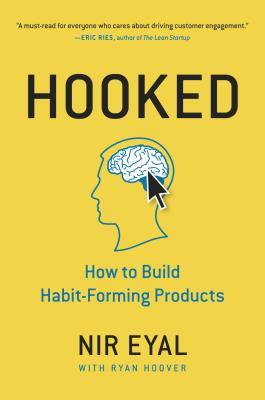
    hooked a habit forming product book reviewI recently finished reading Hooked: How to Build Habit Forming Products and wanted to share what I’ve learned from the book and answer the question if the book worth reading?

    The author Nir Eyal, who has an excellent blog called nirandfar.com (neat name, no?), looks into nuts and bolts of products which we spent hours of our time playing and working with. I believe he first self published the book based on his own research and posts he wrote on his blog but later the book was later got published through a publisher.

    I follow Nir’s blog also as it is focused on this topic and in I’ve learned interesting stuff (like messaging apps which I wrote about earlier).

    In my opinion this book is an extension of another excellent book Power of Habit which looks into inner mechanism of habits and how to use this mechanism to create a new behaviour or replacing an old one.

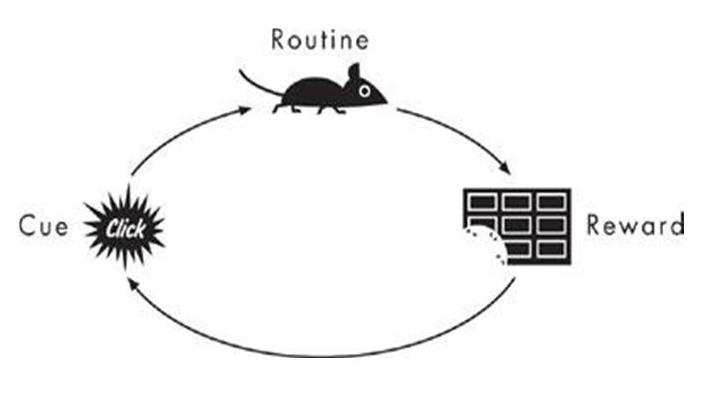
    In Power of Habit we learn that each habit or routine behaviour consists of 3 parts: 1) cue 2) routine 3) reward.

    habit-loop-charles-duhigg

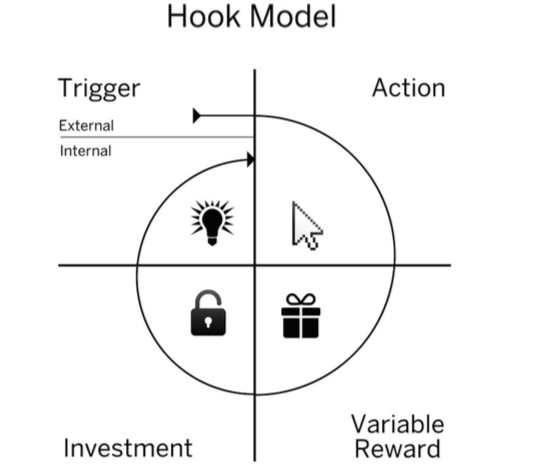
    Hooked looks at the above loop but with more detail and specifically from aspect of interacting with a product and he adds a fourth step to this loop:

    hook-model-nir-eyal

    So what are these 4 steps that we go through when we interact with sticky products?

    First one is trigger: Trigger is one thing that nudge us do some thing, this can be external and explicit like a button or a link with strong call to action or internal and implicit like a fleeting feeling of boredom or the need to stay in touch with friends. This usually makes us take the next step to either click the button or open facebook page to alleviate that feeling of boredom and loneliness.

    The key thing I learned from this chapter is to underpin the internal trigger through asking “Why” from users to understand the underlying their feeling (this is heavily emphasized in Customer Development book as well). Internal trigger is most powerful because it compels users to take action without any spending marketing dollar or nudge from product designer to use the product.

    Second one is Action: the steps you take within the application or with the product in hope of achieving results, getting  feedback from. This chapter makes it clear that user takes “action” when they have enough “motivation”, “ability” to do those steps and the “trigger. (Look at the Behavioral Model by venerable BJ Fogg). Since repetition is the key step in forming a habit, the easier the action the better chance of repeating it again in future. Nir shows interesting example of how producing content on the web has evolved from challenge of hosting a website to a few clicks to create and share content in Facebook.

    Third one is Variable Reward: Not knowing what to expect for reward or having a new kind of reward is the key concept in making users repeat their actions in hope of getting more satisfaction out of that action. For example constant scrolling on Facebook, Twitter or Pinterest happens because with each scroll user doesn’t know what type of update or interesting content s/he will face therefore it keeps at scrolling again. For more info take a look at this detail blog post on the subject.

    The last step is Investment: The last phase of the Hook is where user is asked to do bit of work. This last bit of the work is what makes the user to place more value in the product. The more time spent with one product and the more personal or professional data you put in, the more user become hooked with the product. It will also be more painful to leave. Why? because we value our effort more than it’s really worth and once we become familiar with one product they keep coming back to it. I think this can explains why financial analysts keep using arcade, difficult and extremely unfriendly Bloomberg machine as oppose to better designed, easier solutions.

    What do I think about the book?

    The good:

    • I liked the book even though I was familiar with the concepts explained in the book I like detail explanation of each part of a habit as well as lots of product examples accompanied book.
    • I also liked how Nir who started out as a person not familiar with the topic in a span of 2.5 years turned the table around, did all the research, self published the book and now is considered a subject matter expert in the field.

    The bad:

    • I started this book with a lot of expectation of more in-depth material perhaps because of my own fascination with behavior change topic I didn’t find a whole lot of new things in the book. I also found the focus of example mostly on consumer products. I wish there were more B2B example or at least more variety. There was too many reference to Pinterest for my liking.
    • I also found the end of chapter exercises too high-level and actually being able to work off of it. I myself always prefer detail, practical guides over to high level blueprints.

    photo credit: I used the hook model from nirandfar.com blog and the habit loop from power of habit book page. Hope it’s ok!

  • Messaging Apps are coming

    Despite the fact that typing on mobile phone is cumbersome, messaging has been around for many years and in fact messaging is going through a surge of innovation. How come?

    There are plenty of reasons on why messaging is still in use.  The most important one is its asynchronous nature: unlike phone calls and video chats parties don’t need to be available at the same time yet conversation flows along at a decent pace. Another reason is (because typing in mobile is hard) people forgo the formalities and jump right into the main points with in a informal way and no one is surprised or offended about it. And last but not least now that our phones are with us all the time so is messaging. Through time messaging has become much more expressive.  It has evolved from sending and receiving SMS only to rich messages with pictures, stickers, videos and audio files. We can now express ourselves with more nuances in short bursts and binges through chats.

    In fact recently I’ve come across many blog posts and news article which makes me certain that messaging apps are the next big channel in reaching out to customers in a direct, casual way to start a conversation and provide services within the conversation itself.

    Products like Google Now and Siri has primed us to become more comfortable receiving help from non-human (Artificial Intelligence algorithms, bots etc). There are now many next generation messaging apps blurring the line between AI and actual human by taking on the role of  a personal coach or as a virtual assistant who get tasks done.

    Apps like Lark and Vida act as your personal health coach where you report back on what you ate, your work-out routine and other thing and your coach advise you how to stay on track to achieve your weight-loss/health goal. On the other category, Native works as your virtual travel agent who finds the best the itinerary and purchases it for you. There is Magic taking on a role of a task runner getting you errands from mundane (grocery shopping, food) to exotic (medicinal marijuna! according to this article). All you need to do is to start a conversation and ask for things/services. And there are many more.

    Finally there are weird apps like Invisible Girlfriend and Invisible Boyfriend where you fabricate an imaginary girlfriend/boyfriend in case you’re tired of being judged for being single!! It certainly wouldn’t be my way of tackling the problem but it sure is an interesting service!

    All above apps exists in addition to staggering number of messaging apps such as Facebook Messanger, WhatsApp, Line, Kik, Snapchat, Hangout etc that are all competing to capture users conversations with friends and family within their framework. All of this means one thing to me: Consolidation.

    It just makes sense to have a few messaging apps where not only you can have a rich conversation with your friends and family but also you can use them as your virtual assistant to get things done. This phenomena has happened in china where WeChat is the messaging app for millions not only to chat with each other but to interact with business to order food, arrange lifts or send and receive money.

    The biggest contender for consolidation is Messenger app (by Facebook) with well over 700+ million users and growing. This article explained the reasons on why Facebook account is no longer required for accessing Messenger. Essentially, Facebook realized not everyone wants a social network or News Feed, but everybody wants chats. Messenger is getting a boost from new features  such as send and receive money to friends, search and add GIF to keep users within Messenger and off of other competitors. And I wont be surprised if it builds or buys any assistant-as-App type of services within Messenger.

    For me part of the appeal of SMS was its access regardless of your phone, career or apps you have on the phone, the fact that it didn’t belong to anyone. I really am not comfortable to have Facebook Messenger app as my go-to-app (their past history with Privacy and Term of Use is not exactly stellar, you know?). It would be ideal if we could have a choice of on messaging apps but somehow all updates show up in a central place like notifications bars on the phone and we have access to chat history regardless of the app. One can only wish but until then I think we’re heading toward a burst of messaging apps and their eventual consolidations.

    PS: The inspiration for this post came from a recent blog posts on Nir and Far blog which got me introduced to “Assistant-as-App” phenomena as well as posts from Intercom on future of messaging and finally multiple interesting news on TechCrunch and Wired.